Design
Digital business card ideas and templates
A great card is not about how fancy it looks. It is about getting saved and getting a reply. Here are the ideas, layout templates and design tips that make a digital business card feel like you and actually do its job.
What to put on your card
Start with the essentials, in priority order. A card that tries to say everything says nothing.
- Name, title, company — who you are, in one glance.
- A photo or logo — a friendly face for people, a clean logo for brands.
- One or two best ways to reach you — not every channel you own.
- Your key links — website, booking, portfolio or the socials that matter.
- One clear call to action — "Book a call", "Save my contact", "View portfolio".
Layout templates that work
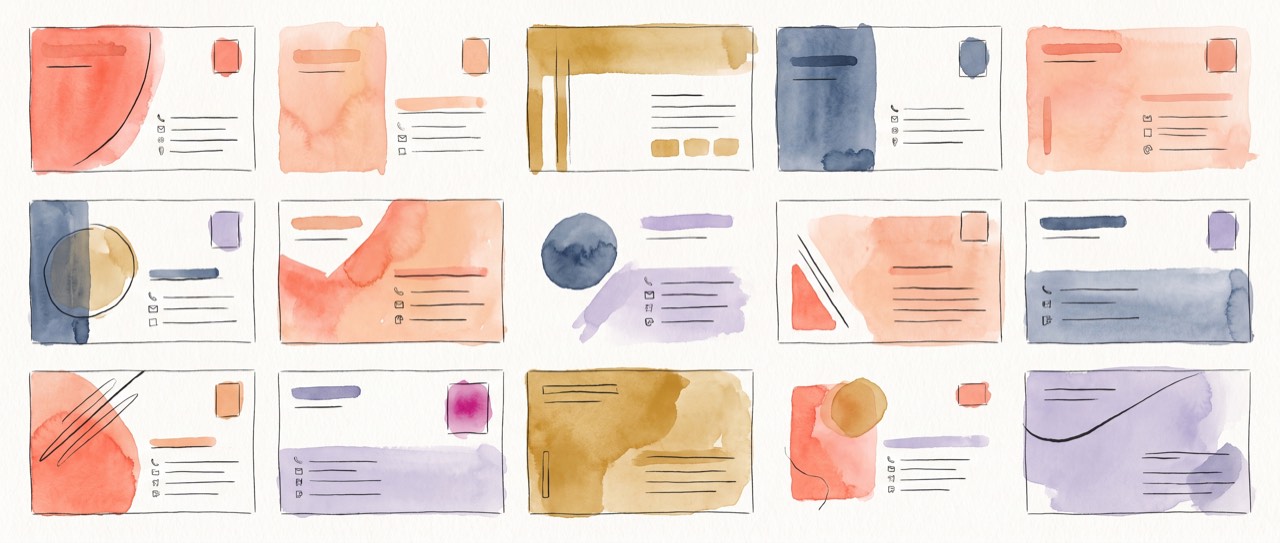
You do not need to design from a blank canvas. A few reliable layouts, all of which the NodCard builder sets up for you:
- The classic — photo, name and title up top, contact buttons below. Safe and readable for any profession.
- The brand-forward — logo and brand colour lead, details underneath. Great for companies and agencies.
- The link-in-bio — a short intro and a stack of link buttons. Ideal for creators and founders.
- The sales card — a headline, a call to action, and a way for the other person to share their details back.
Design tips that keep it looking professional
- One accent colour. Use your brand colour for buttons and highlights, and let the rest breathe.
- Real contrast. Dark text on light, or light on dark. Never colour on colour.
- Short labels. "Email", "Call", "Book" beat long sentences on buttons.
- One photo or logo, not both fighting. Pick the one that represents you best.
- Leave space. A calm card feels more premium than a crowded one.
Ideas by profession
- Sales — a strong call to action plus share-back, so every conversation captures a lead.
- Real estate — a QR on listings and signs that opens your card and booking link.
- Marketing and agencies — a digital marketing visiting card with portfolio, socials and a clear next step.
- Healthcare — clinic address, hours and a maps link, kept simple and calm.
- Freelancers and founders — one link that carries your whole identity and a way to book you.
Design your digital business card free
The builder lays out a clean, on-brand card for you. Add your colour and logo, and publish.
Create your card, free ↗Frequently asked questions
What should I put on a digital business card?
Your name, title and company, a photo or logo, the one or two best ways to reach you, your key links, and a single clear call to action. Lead with what you want the person to do next.
Do I need a template to design one?
No. NodCard's guided builder lays out a clean, professional card for you. You add your brand colour and logo, so it looks designed without starting from a blank template.
How do I make it look on brand?
Upload your logo and set your brand colour, keep to one accent colour, one clear photo or logo, and short labels. The card will feel like your brand and stay easy to read.